
How to use free LLM
This article explains how to use Verity-cn's built-in built-in free API to experience LLM conversations without having to register your own service provider.
The settings screen was heavily redesigned in v3.5, so it no longer matches the screenshots. You can still choose Kilo as a free provider, or pick our-free-model to use it for free as well.
1. Open Mod Configuration
Open the module configuration interface of Verity-cn in the launcher and find the LLM related settings area.
2. Select LLM
Select the LLM service type in the configuration interface.
3. Switch to the on-premises free API
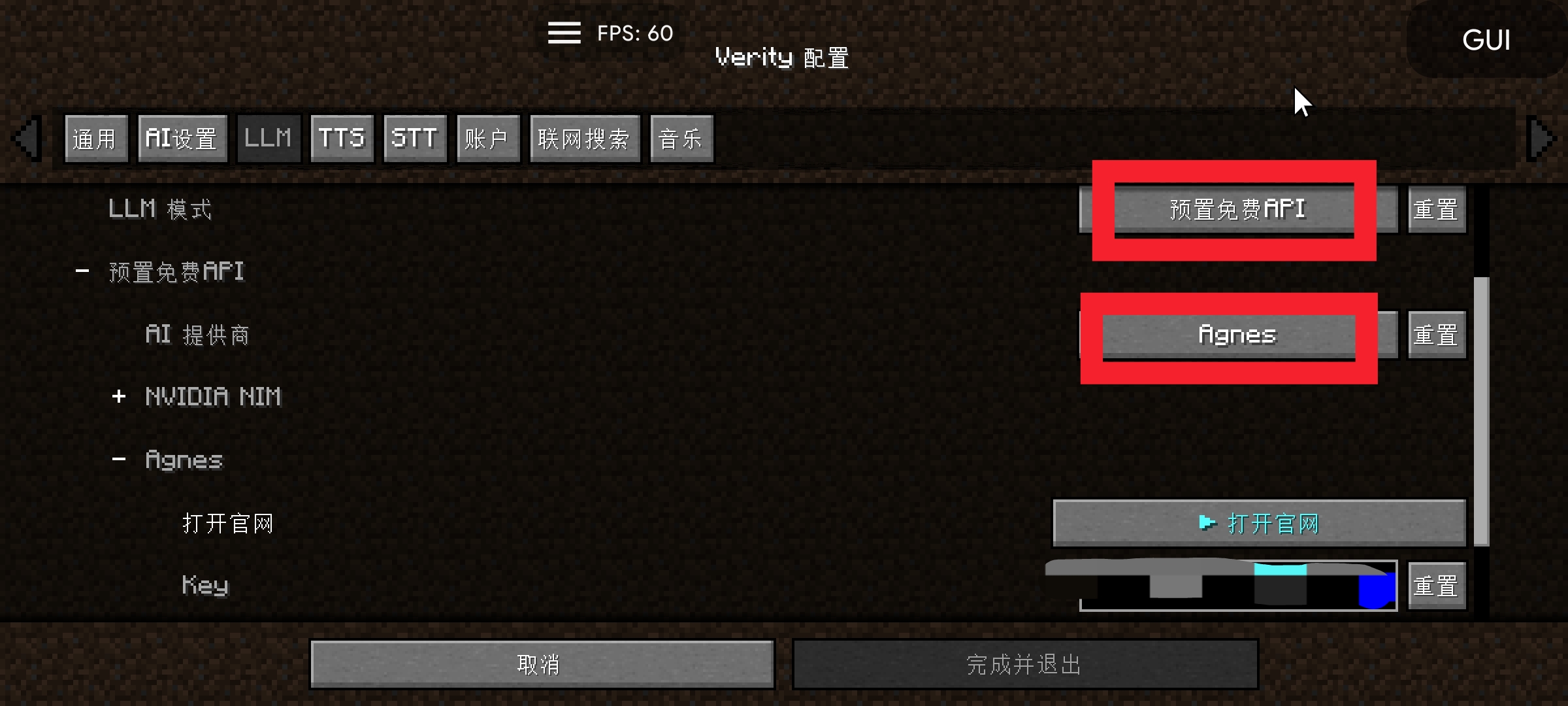
Switch mode to"Provisioning Free APIs". The AI provider selection list appears after the switch.
4. Select an AI provider
Choose an AI provider based on your needs:
Kilo (recommended to get started)
After selecting KiloNo additional action required, select Ready to Use.
Other providers (Agnes recommended)
Higher service speed and stability. After selecting, you need to click the corresponding provider link and enter your API Key in the grouping page that opens.
5. Frequently Asked Questions
Error 503
The service is temporarily unavailable, please try again later.
429 Error:
The request frequency is too high, please wait a minute or two and try again, or switch to another AI provider.